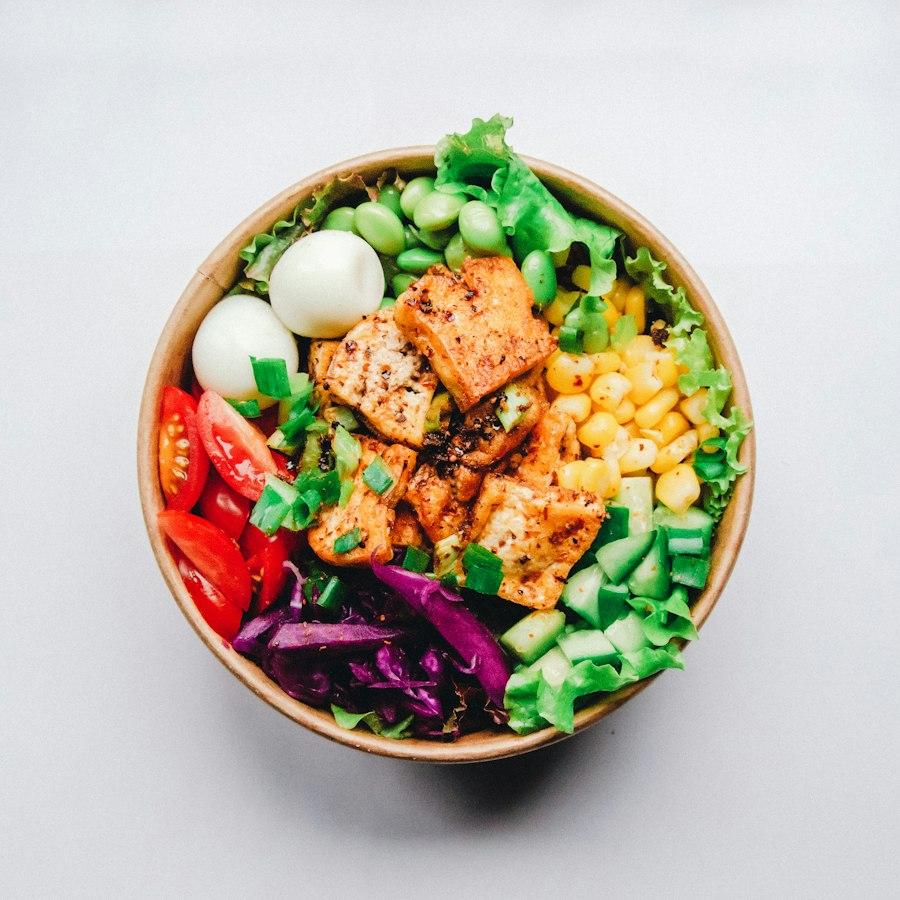
 House favorite
YOUR RESTAURANT. YOUR GUEST RELATIONSHIPS.
Your restaurant.Your next chapter.
Bring your website, guest relationships and marketing together. Give every new connection a reason to return.
No account needed for the demo · Sample data · 中文 / English
ONE RESTAURANT. ONE CONNECTED JOURNEY.
From a dish they noticed to a thoughtful follow-up.
Browse a dish, choose consent, prepare a follow-up and review its records in one sample restaurant. Try each step yourself.
Use a sample guest to follow dish interest through to a follow-up draft. No live ordering, payment or marketing delivery.
STEP 1 OF 4
Browse dishes
Which dish catches a guest’s eye? Open one to keep a traceable source of interest.
House favorite Sold out · Browse only
Garden herb salad
$12.50This is a temporary sample tour. Reload or reset to start again.
Open the full interactive demoExplore the steps, then decide where your own restaurant should begin.
BUILT AROUND YOUR DAY
One platform. A focus that fits your restaurant.
Start with your restaurant’s daily priorities. Adjust its operating profile while keeping everyday tasks easy to find.
Keep service clear and the guest relationship close.
Follow orders and kitchen progress, then review guest sources, consent and purchase records before following up.
Try: menu to guest contextKeep your own menu and availability in view.
Present dishes, options and prices clearly. Keep orders, preparation and sold-out updates within easy reach.
Explore: daily operationsGive interest in a new item a useful next step.
Use a specific dish, recorded interest and consent to prepare relevant content for the owner to review.
Explore: guests and repeat visitsStart with one restaurant and plan responsibilities as your brand grows.Multi-location plans
A CLEARER EVERYDAY
A clearer plan for today.
When service gets busy, start with the work that needs attention. Orders, kitchen, menu and guest records each have a clear place.
Explore the merchant dayT24WorkbenchOrdersMenuCustomersMarketingFinance
T24 Garden KitchenSample data
Net receipts$1,284
Settled visits46
Open orders7
New · 3
#1041Dine-in · A02$28.00
#1042Takeaway$42.50
#1043Takeaway$19.80
Preparing · 2
#1044Dine-in · A02$42.50
#1045Takeaway$19.80
Ready · 2
#1046Dine-in · A02$19.80
#1047Takeaway$28.00
Orders, kitchen and business overview, together.
SEE THE WORK. KNOW WHAT COMES NEXT.
See the workflow before making your decision.
Inspect the interface and try its steps, then confirm the configuration and support your own restaurant needs.
01
A workflow you can inspect
Every demo action has a visible result. Sample records are labeled and presented as demonstrations.
Try it yourself02
A plan for your own restaurant
Prepare your menu, business information and team roles, then confirm payment, hardware and channel requirements.
Review the launch checklist03
A useful first conversation
Share how your restaurant operates and what you need help with, even if you haven’t chosen a plan.
Share your needsGOOD TO KNOW
A few things you may be wondering
Which restaurants is this for? Do I need every feature?
T24 is built with Chinese-speaking restaurant operators in mind, including dine-in, takeaway and casual concepts. Start with your website, menu or guest records, then plan the capabilities you need.
Can I start with the part most relevant to my restaurant?
Yes. Try the sample journey without an account, or share your operating model and main time-consuming tasks on the consultation page. Confirm menu, team, channel and support needs before launch.
Does the demo create real orders or send marketing messages?
No. The demo uses a sample restaurant and simulated records. Real ordering, payments, marketing delivery and external channels require separate confirmation and activation.
Do I have to replace my existing POS?
Begin with your restaurant’s workflow. Existing POS systems, delivery platforms, hardware and payment accounts have separate connection requirements. You can first explore the website, menu and guest relationship workflows.
YOUR NEXT CHAPTER
Start with your restaurant’s next step.
Try a complete sample journey, or share how your restaurant operates and what matters most.